Smart Charging at Your Fingertips
The Flash App is your companion for station details, QR-based charging, connector filtering, mobile charger delivery, and rescue charge support.



Charge in 4 Simple Steps
From opening the app to getting support, Flash App keeps charging workflows clear.
Open the App
Register or log in to access Flash Charge station and service flows.
Find a Station
Review station details, charger availability, connector type, and tariff information.
Scan & Charge
Scan the station QR code or enter the charger ID to start the charging flow.
Get Support
Use charger delivery or rescue charge options when you need mobile charging assistance.
Everything You Need to Charge Smarter
The Flash App puts station details, charger access, connector filters, and rescue charging workflows in your pocket.
Station Details
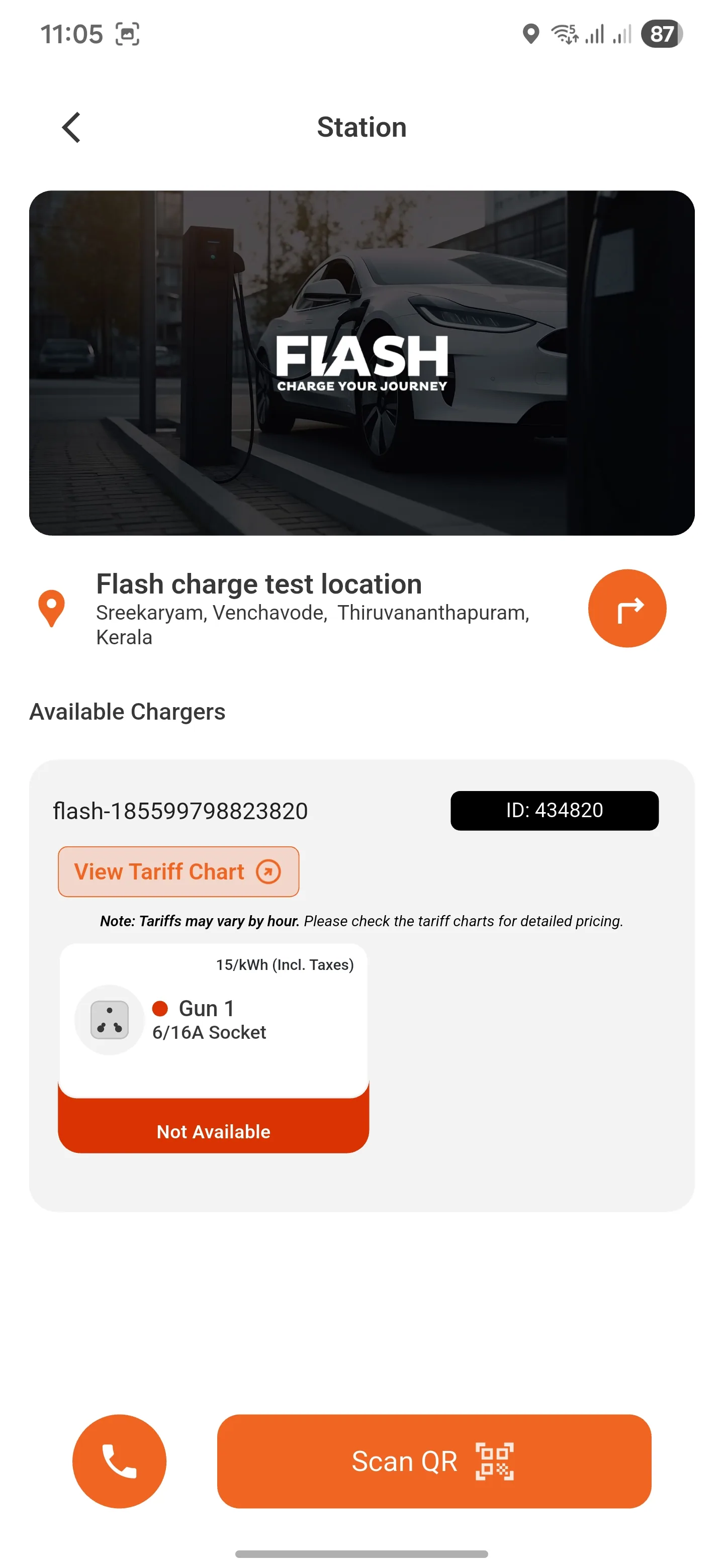
View Flash Charge station information, location details, charger availability, and tariff chart access.
QR Code Charging
Scan the station QR code or enter the charger ID from the app to begin a charging flow.
Connector Filters
Filter locations by AC, DC, and connector types including Type 2, CCS 2, CHAdeMO, GBT, Bharat AC, LECCS, and 6/16A socket.
Tariff Visibility
Review charger-level tariff information before starting a charging session.
Rescue Charge
Access the emergency Rescue Charge flow for low-battery charging support.
Charger Delivery
Use the app's charger delivery flow for scheduled or emergency charging at your location.
Real Flash App Screens
Flash App screens show station details, emergency rescue charging, and connector filtering.
Station detail
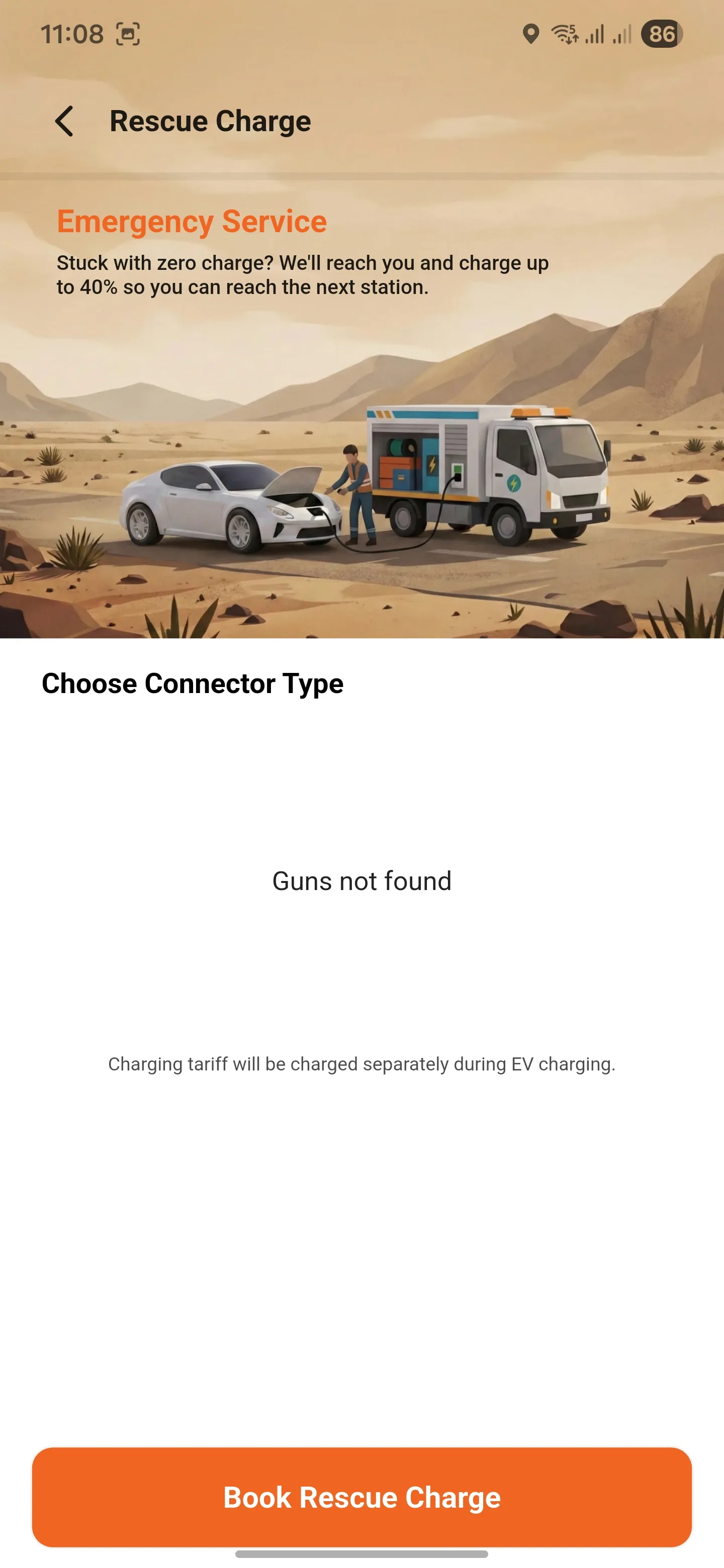
Rescue charge
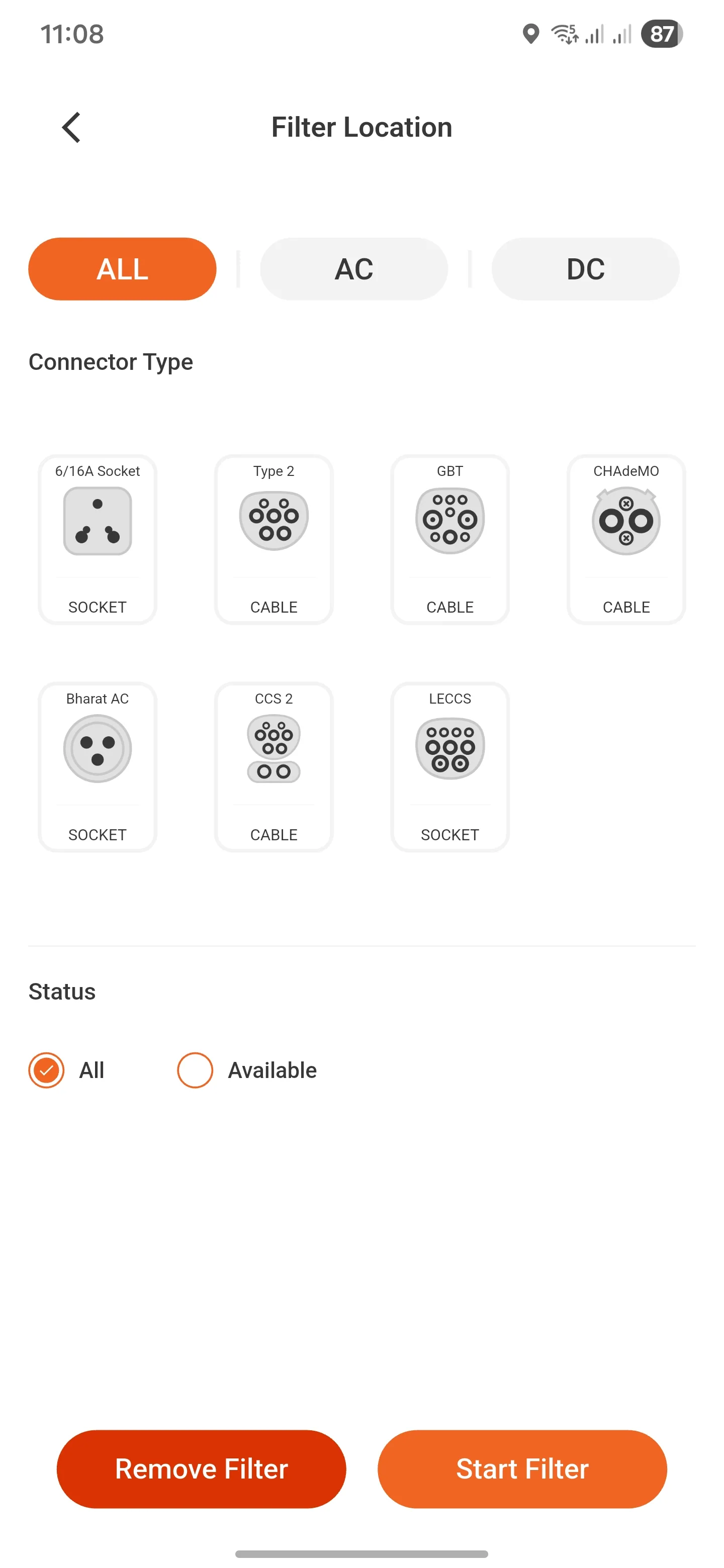
Connector filter
Download Flash App Today
Use the Flash App for station details, QR-based charging, connector filtering, and rescue charging support. Available on Android and iOS.